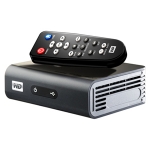
Western Digital WD TV Live Plus HD Media Player firmware

Firmware Western Digital WD TV Live Plus HD mise à jour update upgrade

Cette fiche consacrée à Western Digital WD TV Live Plus HD Media Player firmware regroupe les pilotes, BIOS ou mises à jour disponibles pour ce matériel. Ces drivers permettent d’améliorer la compatibilité avec Windows, la stabilité du système et le bon fonctionnement des composants.
Matériels

Western Digital WD TV Live Plus HD Media Player passerelle réseau multimedia télécharger mise à jour firmware update upgrade gratuit free download PC Windows

Autre mises à jour

Version

1.04.10_B

Information concernant la mise à jour

Mise à jour du 22/11/2010
- Type: Firmware
- Langue: Multilanguage

1.04.10_B Télécharger la mise à jour 64,6 Mo

Description

Firmware Western Digital WD TV Live Plus HD mise à jour update upgrade version 1.04.10_B .
Mise à jour :
- Ajout des applications Facebook, Blockbuster On Demand, Deezer, Flingo et AccuWeather
- Support des claviers USB sans-fil
- Le téléchargement simultané de deux fichiers fonctionne correctement

How to Install the Product Update:
Installing the new firmware on your WD TV Live Plus is simple. Just connect your WD TV Live Plus to an Internet connection and the WD TV Live Plus will automatically check and notify you a new firmware is available for update at the Home menu. Confirm the action and your WD TV Live Plus will be automatically updated.
If Internet connection is not available, you can download the firmware file and follow the steps below to update:
   1. Extract the three files (.BIN, .VER, and .FFF files) to the root (top level) of a portable USB drive.
   2. Connect the USB drive to the WD TV Live Plus Media Player's USB port.
   3. Press HOME, and then select the Settings bar.
   4. Select the firmware upgrade icon, and then press ENTER.
   5. You are prompted to perform the firmware upgrade.
   6. Select OK on the firmware update prompt, and then press ENTER. This will restart the system.
   7. After restarting, the system automatically enters firmware upgrade mode.
   8. Once the update process is completed, the WD TV Live Plus HD Media Player will restart again.
   9. Once the HD WD TV Live Plus Media Player restarts, the new firmware is automatically loaded and the WD TV Live Plus HD Media Player is ready for use.

Retour page constructeur

Constructeurs

  • a
  • b
  • c
  • d
  • e
  • f
  • g
  • h
  • i
  • j
  • k
  • l
  • m
  • n
  • o
  • p
  • q
  • r
  • s
  • t
  • u
  • v
  • w
  • x
  • y
  • z

Logiciels gratuits

Fond écran HD

Décorer votre fond écran
13 thèmes de wallpaper HD différents

Partenaires

Archives

Retrouvez les drivers, BIOS, firmwares, logiciels et utilitaires des années précédentes sur PC-Driver.net